Intro
Wind is something really subtle but plays a vital role in the way we percieve the world both in reality and in games. It’s the inter-movement within the world, also the feedback from the surrounding when we make an impact.
After watching how Sony Santa Monica Studio developed their wind system in God Of War in 2019 GDC video, I attempted to recreate some of the ideas in a more approachable method. (It shares the same core solution, but simpler)
Key Effects:
Tree bending (Primary Wind)
Whole tree leans with the wind, base stays stable. (Height-based weighting + wind direction)
Leaf turbulence from noise
Noise texture sampling on x, y, z direction + Remap for control over noise impact
Leaf inertia / delay (Spring Effect)
Leaves move slightly after the trunk (History buffer)
The section I recreated is the Wind Mesh part in the video. (Start around 19:00) See gif below.
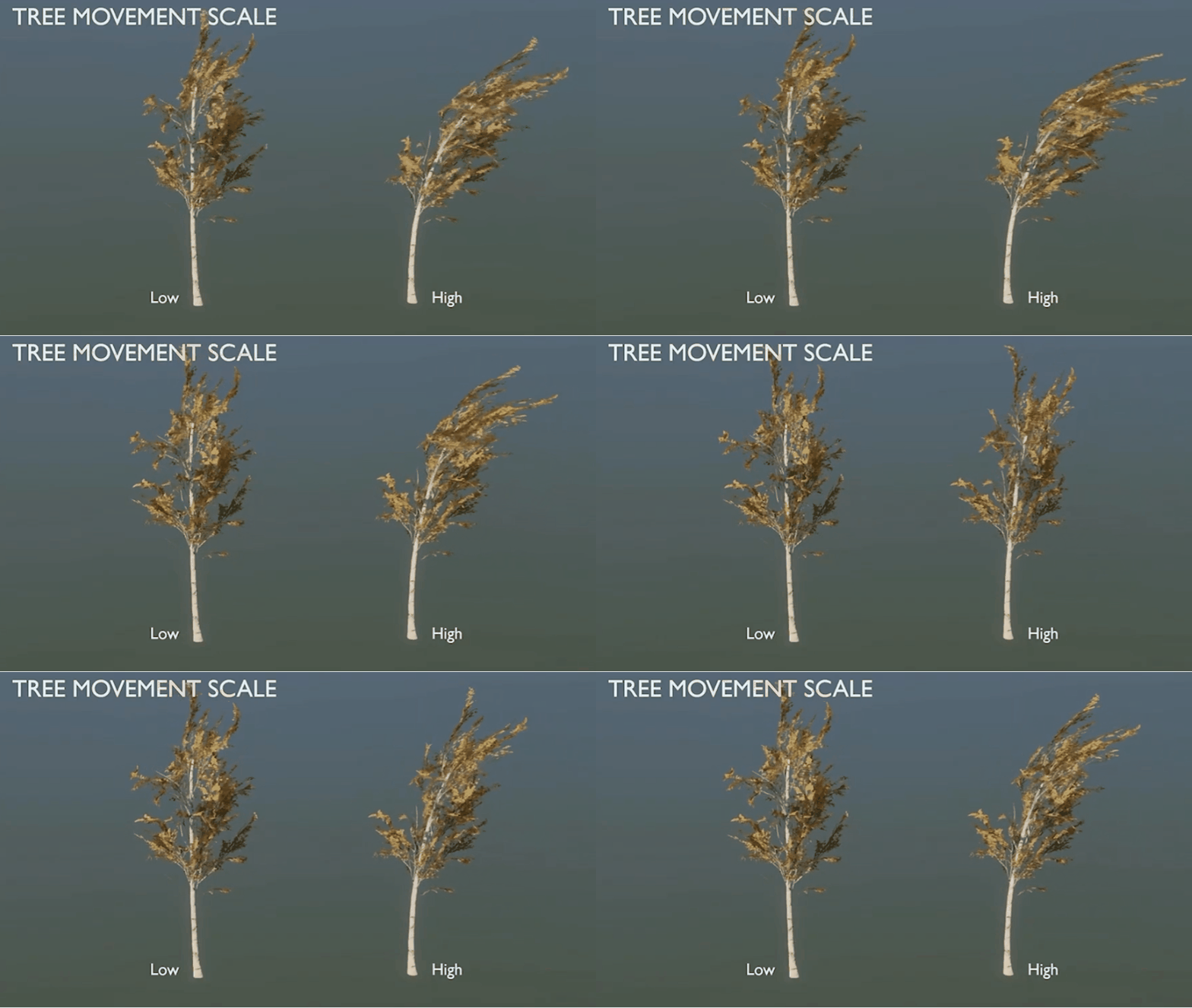
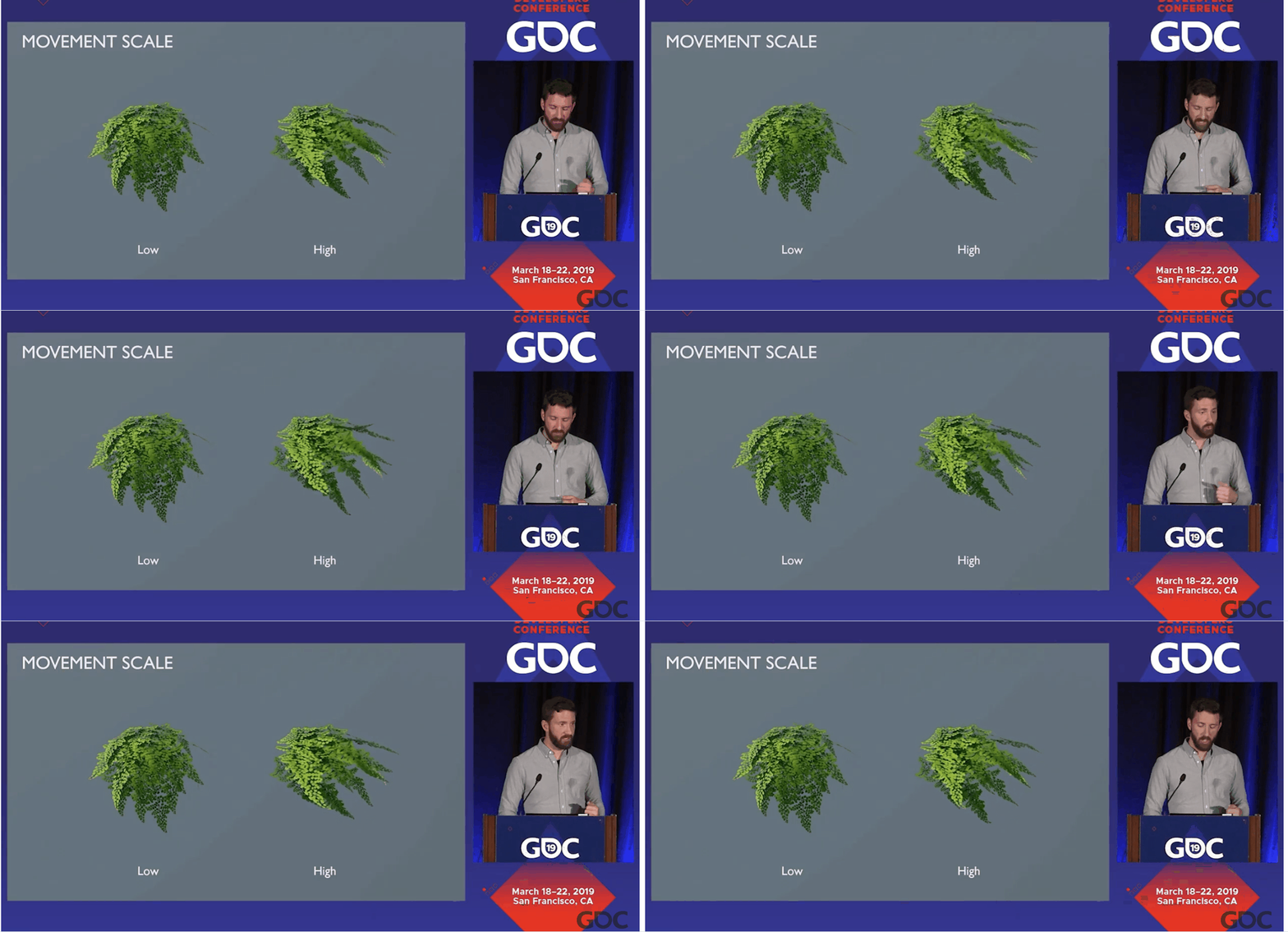
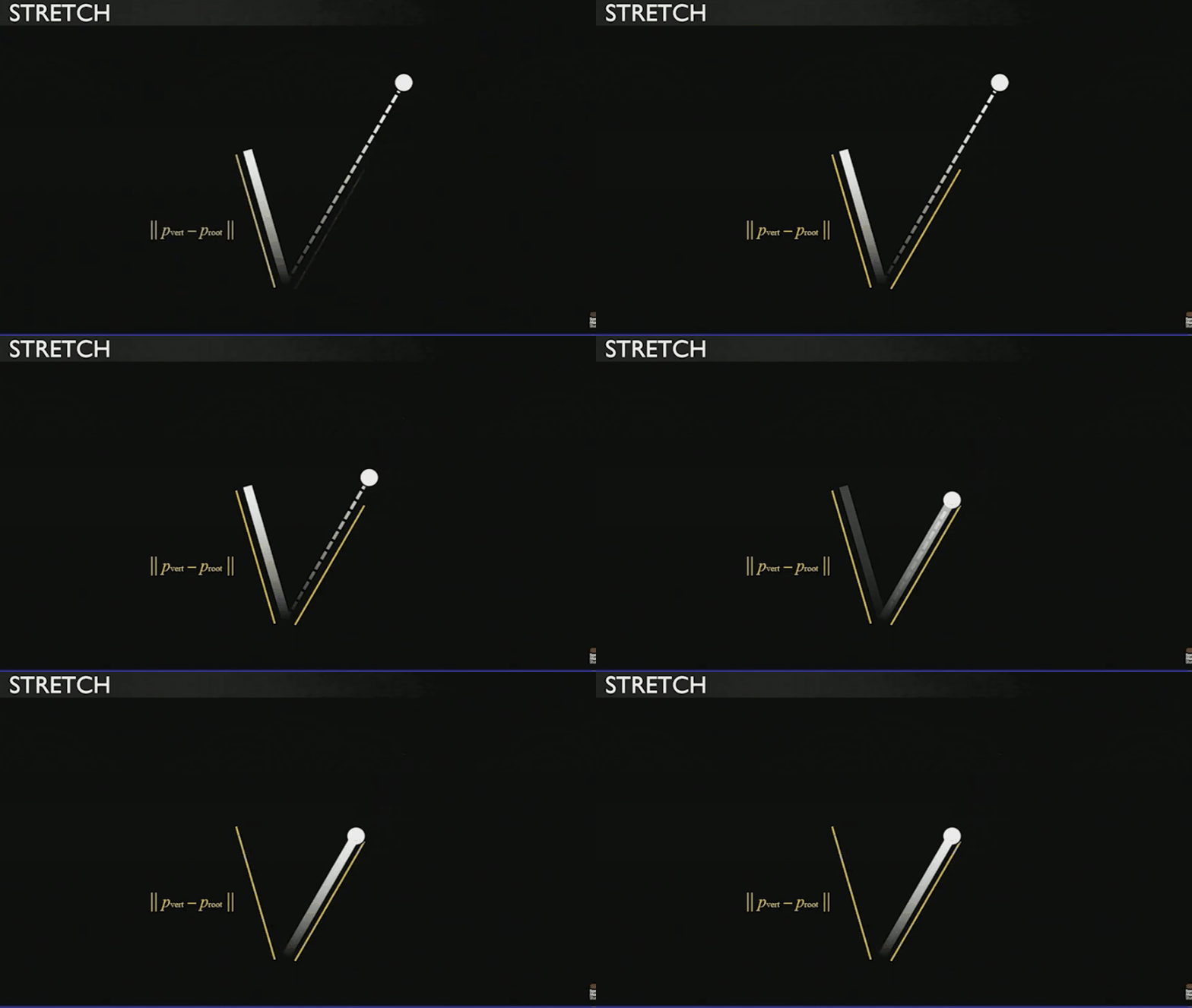
Sony Santa Monica used vertex translation instead of vertex rotation like some games do. The idea is translate the vertex and check the distance to the root before movement, and scale it towards or away from the root to match the length. See gif below. I did not do the scaling back part in this project because the tree mesh I selected looked ok without. ( Plot twist, I did the scaling back part here)
Part I Tree Bending
Let’s acknowledge the elephant in the room first, the major tree trunk bend.
There are mainly two ways to do that, vertex translation and vertex rotation.
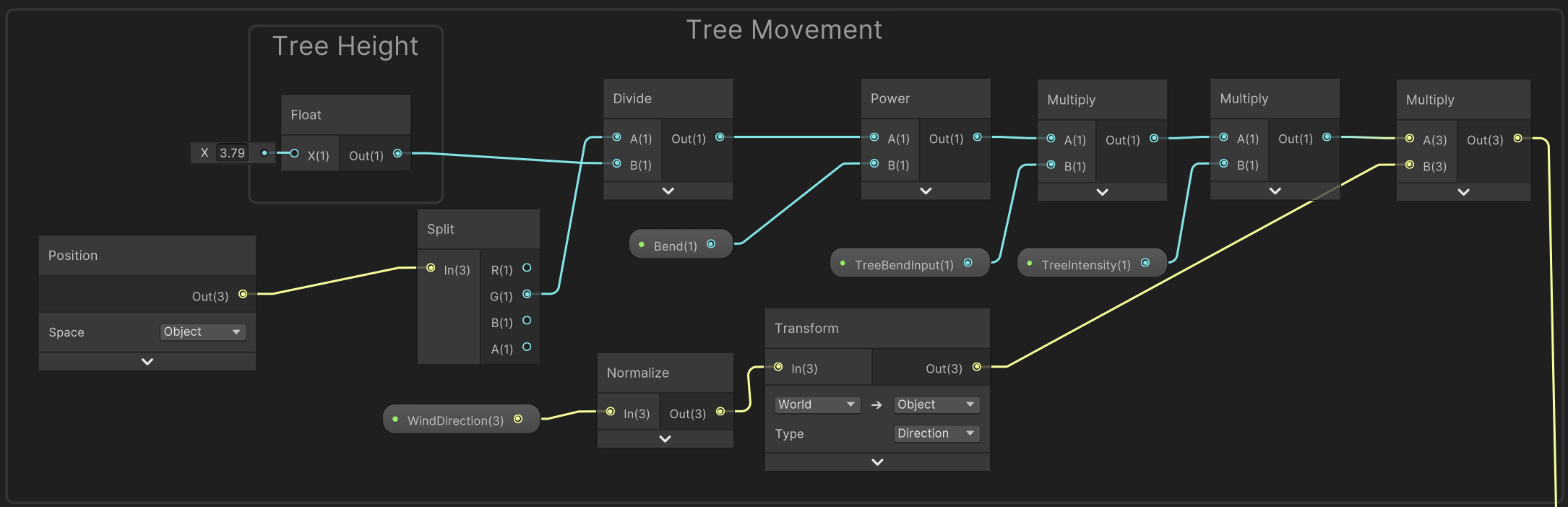
As shown in the image above, from left to right. The y value of each vertex of the mesh is divided by the Tree Height. (3.79 is roughly the height of the mesh that I measured) By doing this, the y vlaue of each vertex becomes a float within 0-1. the closer to the top, the closer to 1. The closer to the root, the closer to 0. And that means, the tip of the tree will be influenced by the wind the most, while the root barely moves.
And the question is what math function makes it bend like a tree when y is from 0-1?
Well here you go…
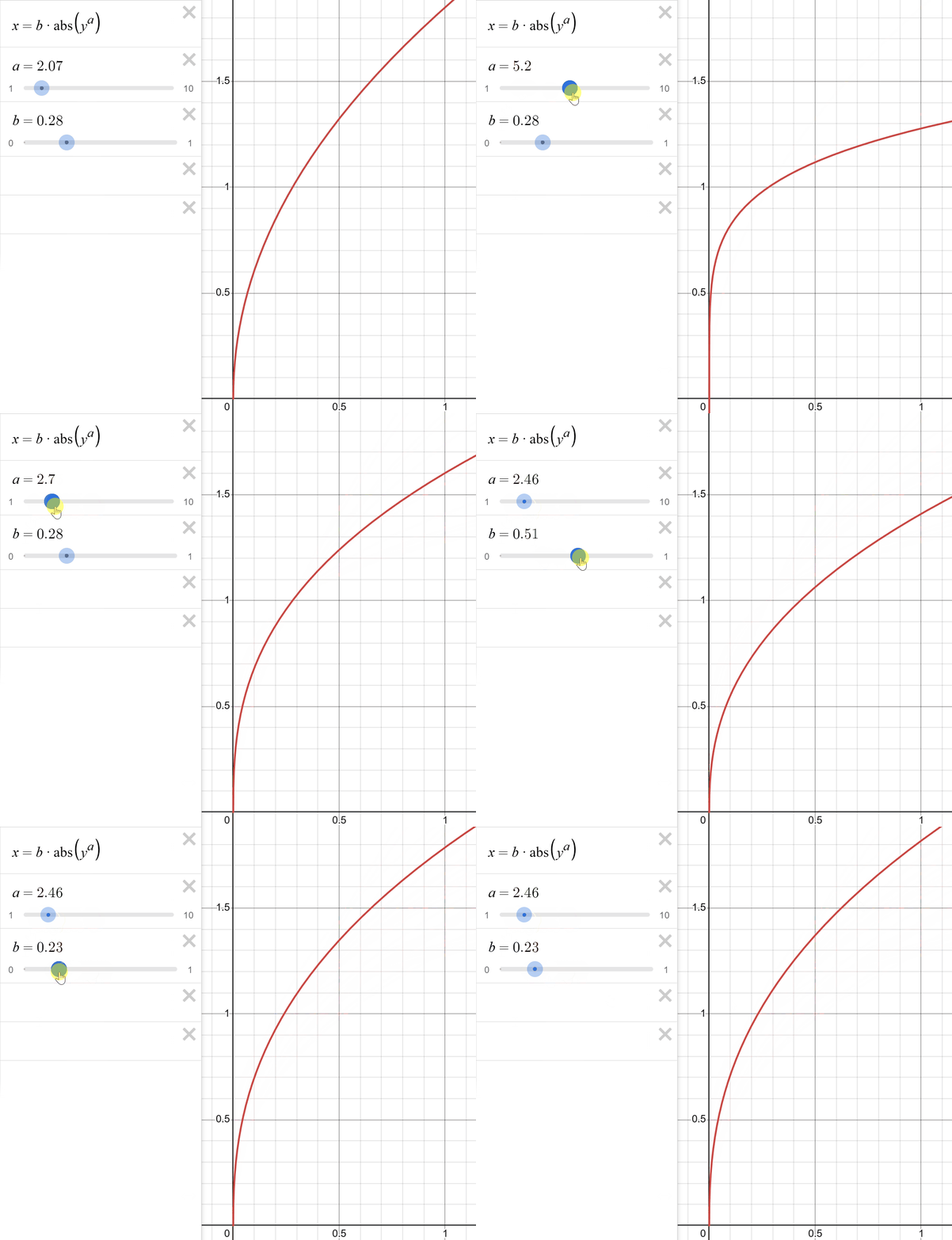
I implemented this function in the shader graph.
The parameter Bend is the “a” in the function, and TreeIntensity is the “b”.
Bend controls how much the tree trunk bends. TreeIntensity doesn’t change the curve but determines how far it’ll stretch.
You might have noticed another parameter in this part, TreeBendInput. We use Bend and TreeIntensity to define how the tree should bend—its deformation shape and distribution.
But those values alone don’t actually “drive” the tree to bend.
TreeBendInput provides the dynamic motion, determining how much the tree bends based on the wind’s force and physics response.
Let me explain where this parameter comes from.
In a script called ObjectWindDriver.cs, I set TreebendInput as the value of treeSpring.currentPosition

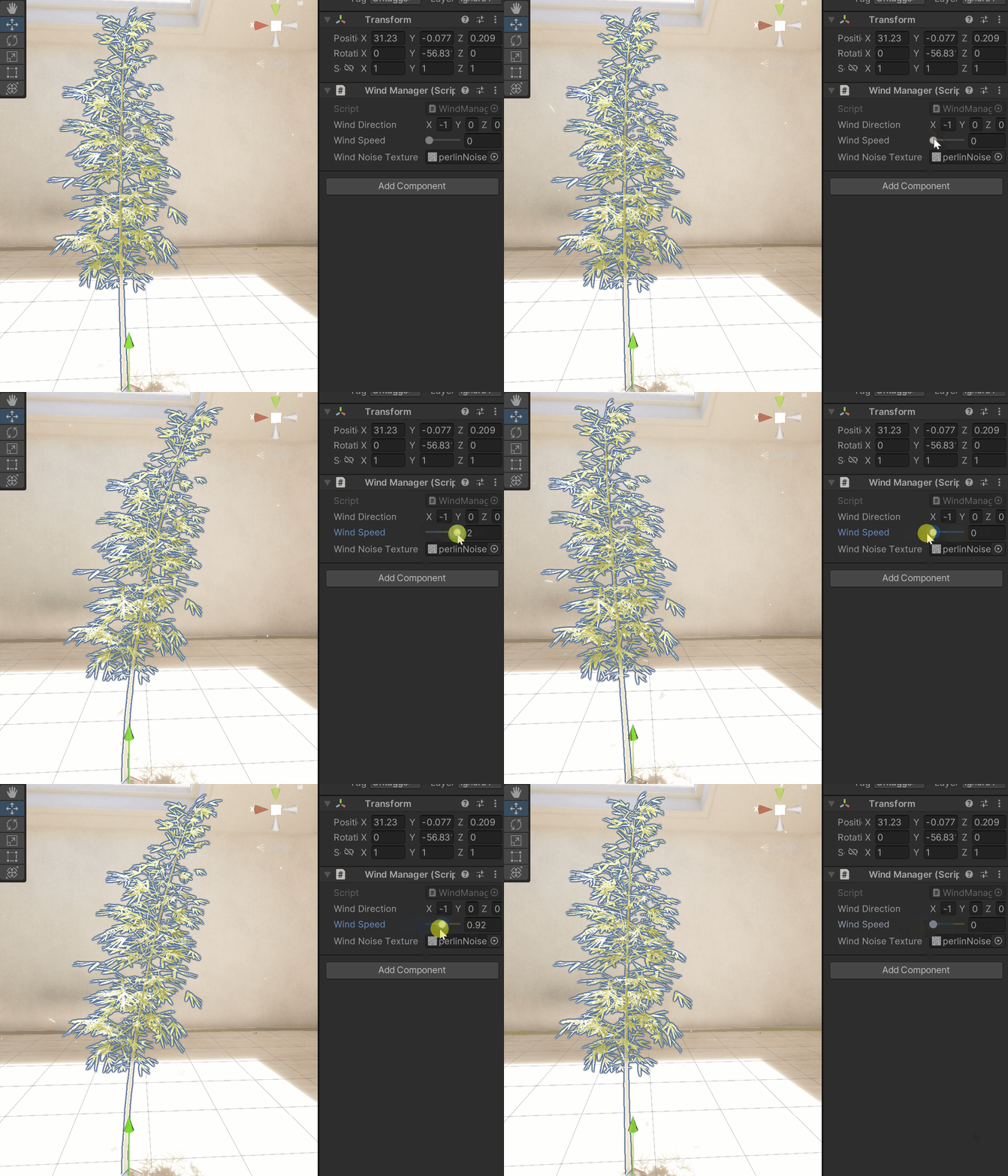
And then in the same script the treeSpring.currentPosition equals WindSpeed from a script called WindManager.cs where I control the overall wind speed.

I will talk about the spring effect in part III, so just know TreeBendInput is now directly being controlled manually in WindManager.cs.
And now we can make it bend perfectly! (gif below already has spring, otherwise it would look “perfect”)
Part II Leaf Turbulence From Noise
It’s pretty clear we need a noise map to introduce small-scale, randomized motion to the leaves, making them flutter independently instead of moving as a single rigid mass.
But we can’t use static noise to drive motion, it would just produce a static distortion.
To animate the noise, we scroll its UV coordinates over time. This creates moving wind patterns across the leaves, which are then used to generate flutter and turbulence. By the way, noise scrolls in world space!
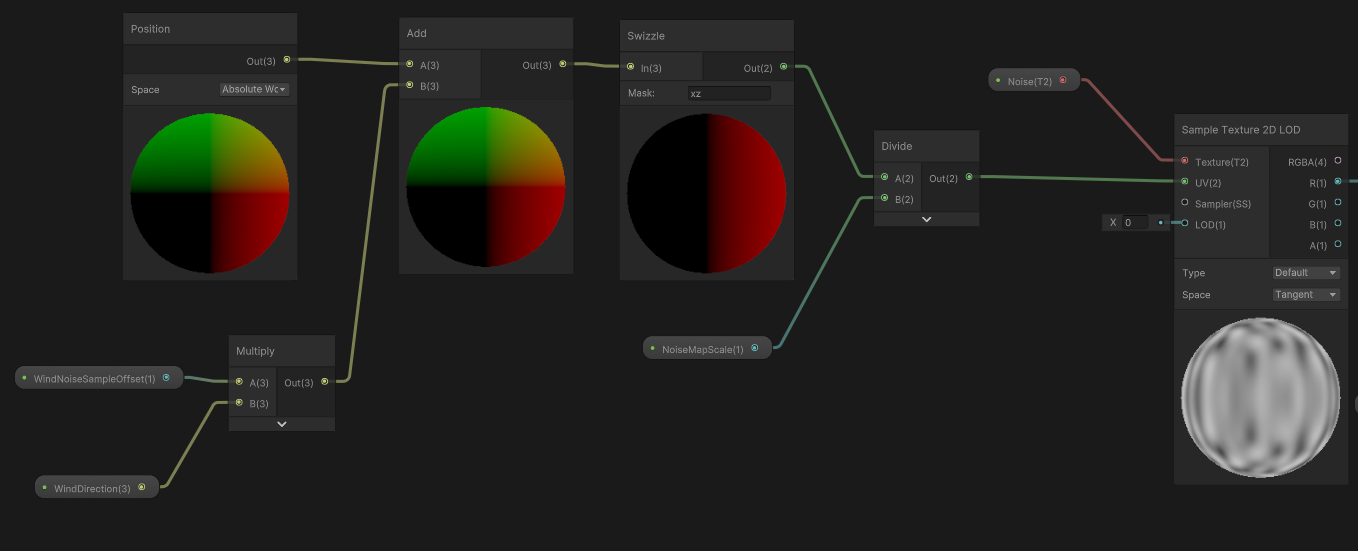
Just the usual sample noise map procedure as shown above except the one parameter
— WindNoiseSampleOffset.
In ObjectWindDrive.cs, I set WindNoiseSampleOffset as WindSpeed * DeltaTime. And in the shader graph, this means the greater the wind speed is, the faster the noise map scrolls, producing more dynamic and intense leaf flutter.

Now we have a scrolling noise map on x direction, see the return noise gif below.
After sampling the scrolling noise map, we aquired a gray scale value between 0-1. Through the Remap node, we reranged it from 0-1 to the range LeafWindMinMax as we prefer in the inspector. For example, if we rerange (0,1) to (0.5,1), even when the sampled value is 0, it still outputs 0.5, meaning it’ll always be wind on the leaf. By remapping the noise value, we can make the noise variation more controllable.
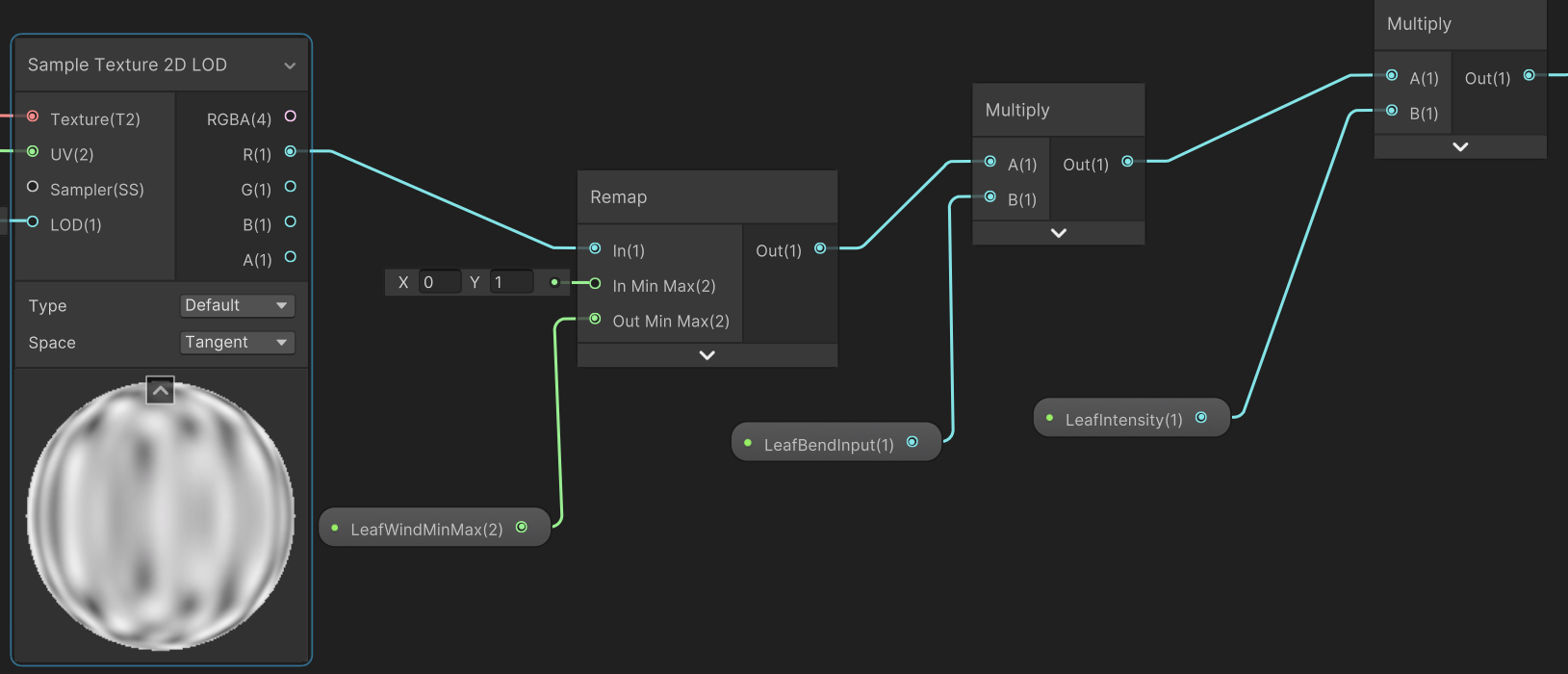
LeafBendInput is a value for the spring effect, which I’ll be covering in part III. Here just know that, like TreeBendInput from part I, this value is also the “drive” that causes the motions on the leaves.
And LeafIntensity is what we use to control the overall foliage movement intensity. TreeBendInput is like the actual wind intensity, while LeafIntensity is our manual control of how much the wind affects our tree.
So far the leaves should have a distorted motion, but it seems a bit off… Because just like the trunk, the closer to the root, the less motion there is. The tip of the leaves should have more movement than the branch.
Sony Santa Monica had a solution to this…(Around 17:30)
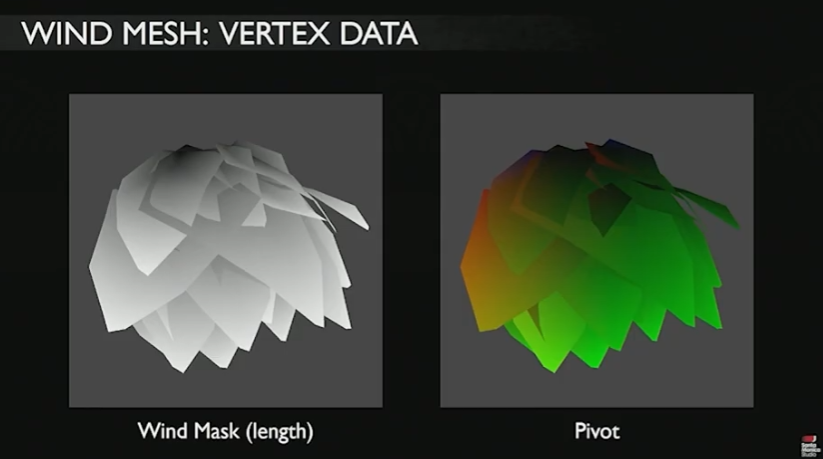
They used two maps to “mark” the root vertex of the cluster. I only used the first one windmask for this project.
What I did is essentially bake the whole tree mesh in blender to give each vertex a color, the central verts are black ( 0 ), the tips are white ( 1 ). The closer to the root, the less wind effect there is.
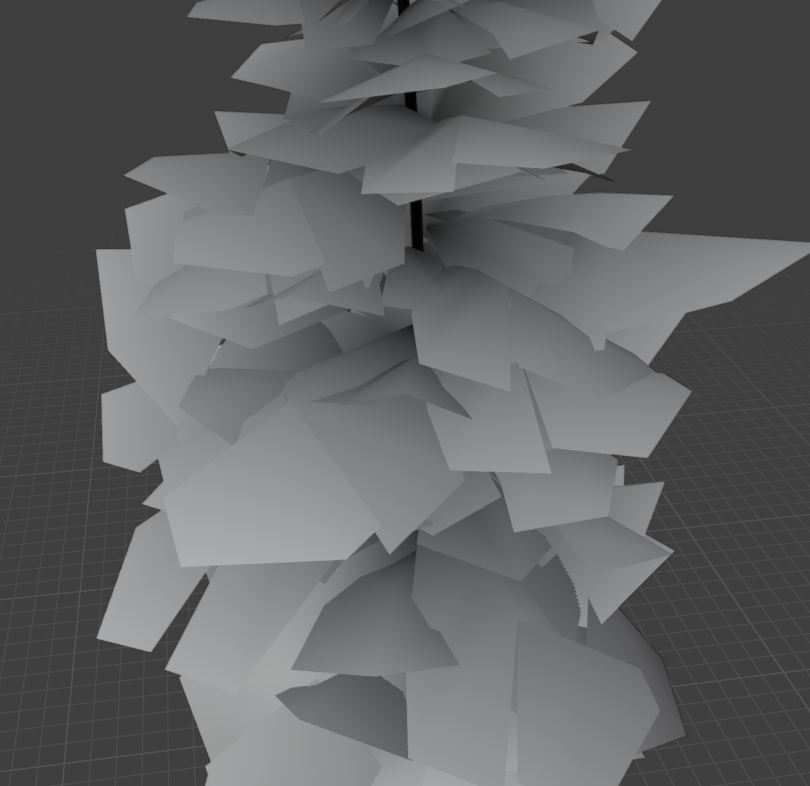
Now we just need to use the vertex color of the mesh to determine how much it moves after being distorted by the noise map(wind).
But I did brought in another parameter LeafWeightFalloff, because I wanted the fall off to be more “realistic” where the change in motion has a exponential decay.
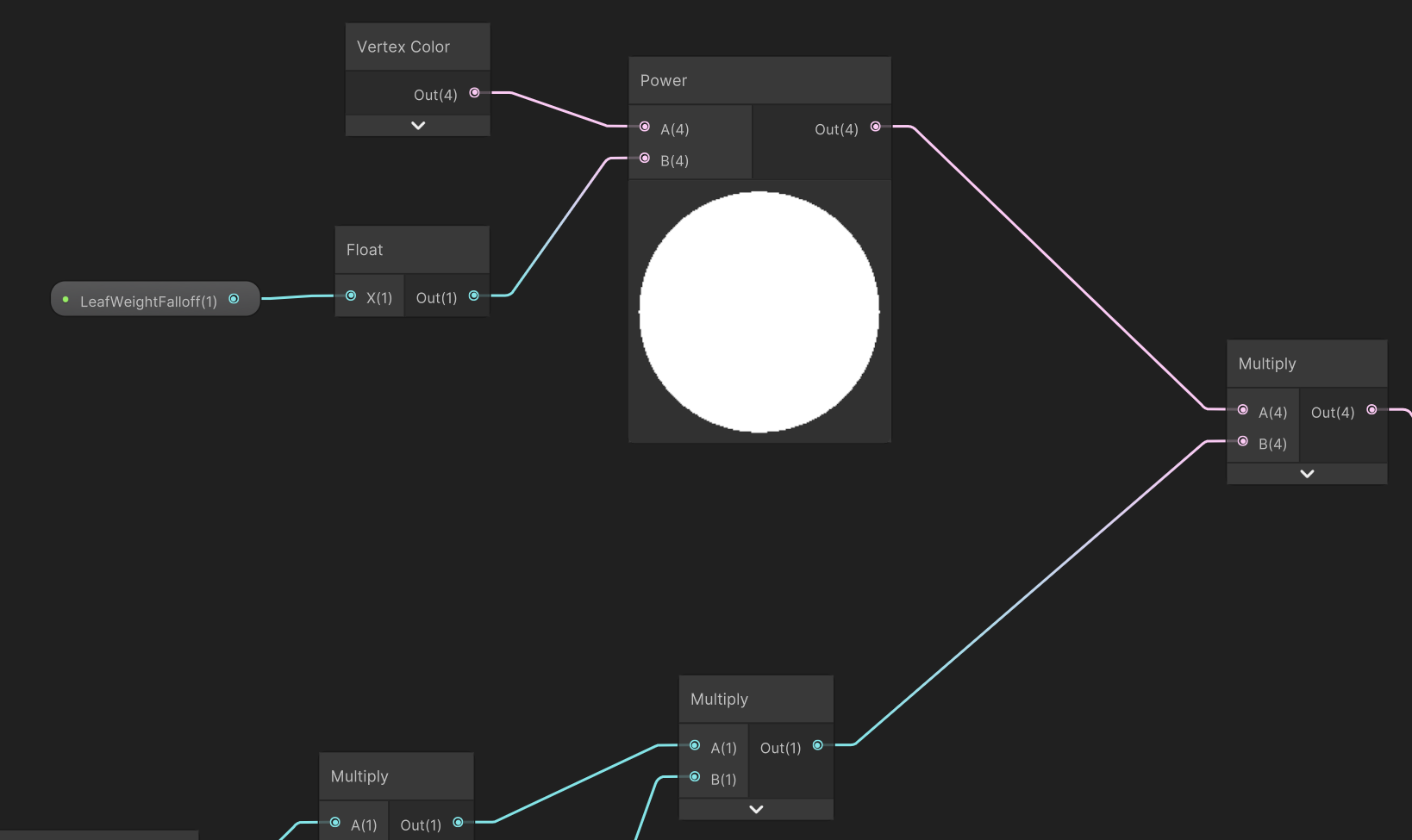
Leaf movement distorted by the scrolling noise map on wind direction is done. But, the leaves can only move on that direction now(x axis in this case). Sony Santa Monica mentioned in the video too, if we only have noise on one direction, it can be problematic.
First, there are no perpendicular motion at all which is unrealistic. Second, yes the leaves are fluttering on x axis and we can see the movement from its orthogal direction (z axis in this case), but not along its direction. See the difference below.

So what I did here is add two additional noise scrolls: one along the vertical direction perpendicular to the wind vector, and another along the horizontal perpendicular direction within the XZ plane.
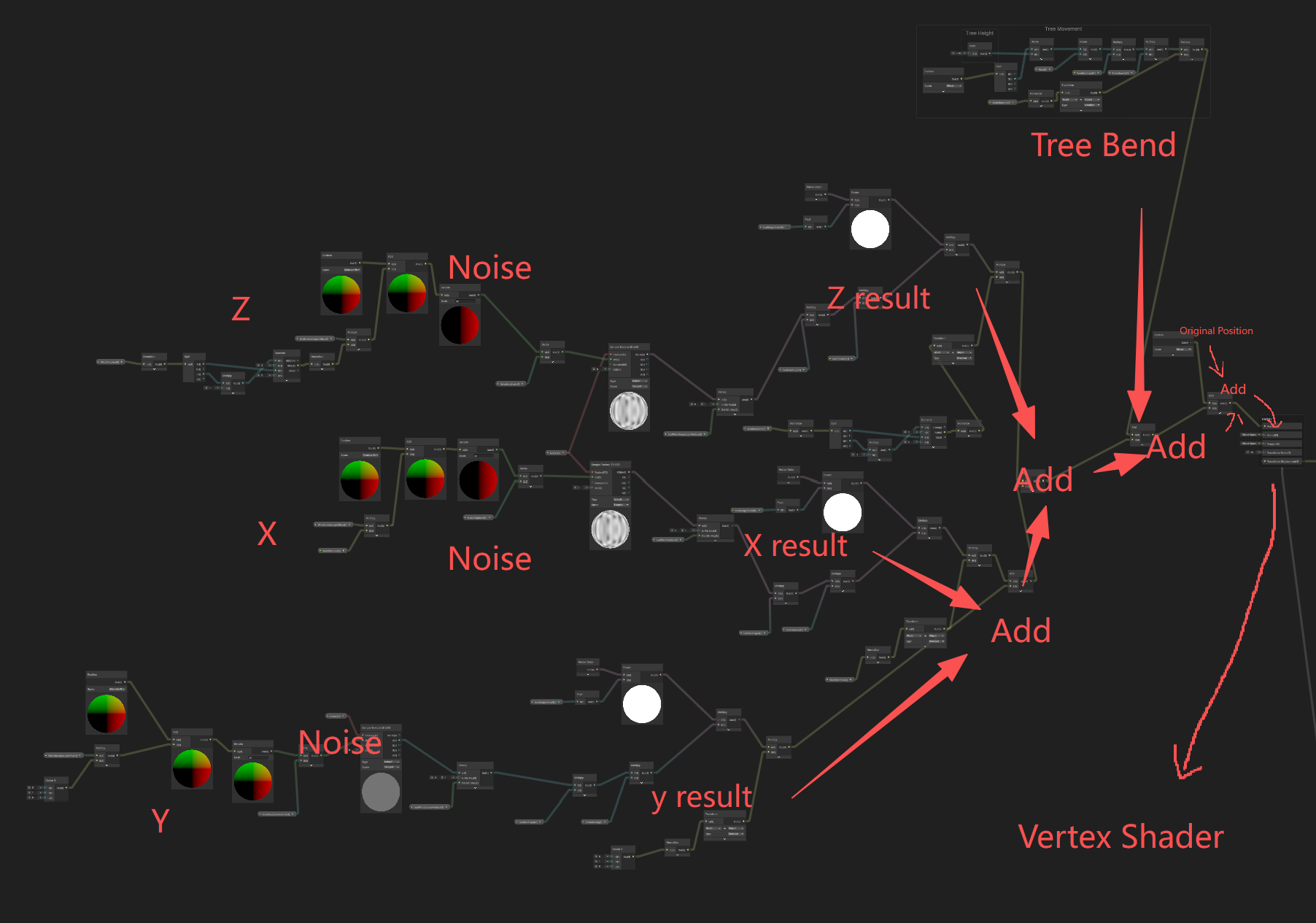
It was mostly copy and paste from x direction, except the wind direction. For y direction, I simply put a vector3 (0,1,0) and remapped the y direction noise value from (0,1) to (-0.2, 0.3) since I want it to also move downward a little when noise is 0 but upward is still slightly larger. For z direction, according to linear algebra, my current wind vector on xz plane is (x, 0, z), and its dot product with the perpendicular vector should be 0 which brings us (-z, 0, x) as the z direction vector.
And now the leaf movement is acceptable from every angle as shown in the demo video.
Part III Leaf Inertia/Delay (Spring Effect)
I added a spring simulation because the trunk motion naturally drives the branches and leaves. This creates a follow-through effect, where foliage reacts later than the trunk. To recreate it, I implemented the SimpleSpring codes I also used in stylized water shader.
( Attached SimpleSpring.cs)
Basically we need to update the trunk verts’ positions(target position) every frame, delay certain frames and then let the foliage follow from current position.
By adjusting the frequency of the spring, we can change how quickly it responds to target shift. And by adjusting the damping ratio, we control how bouncy or stable it is.
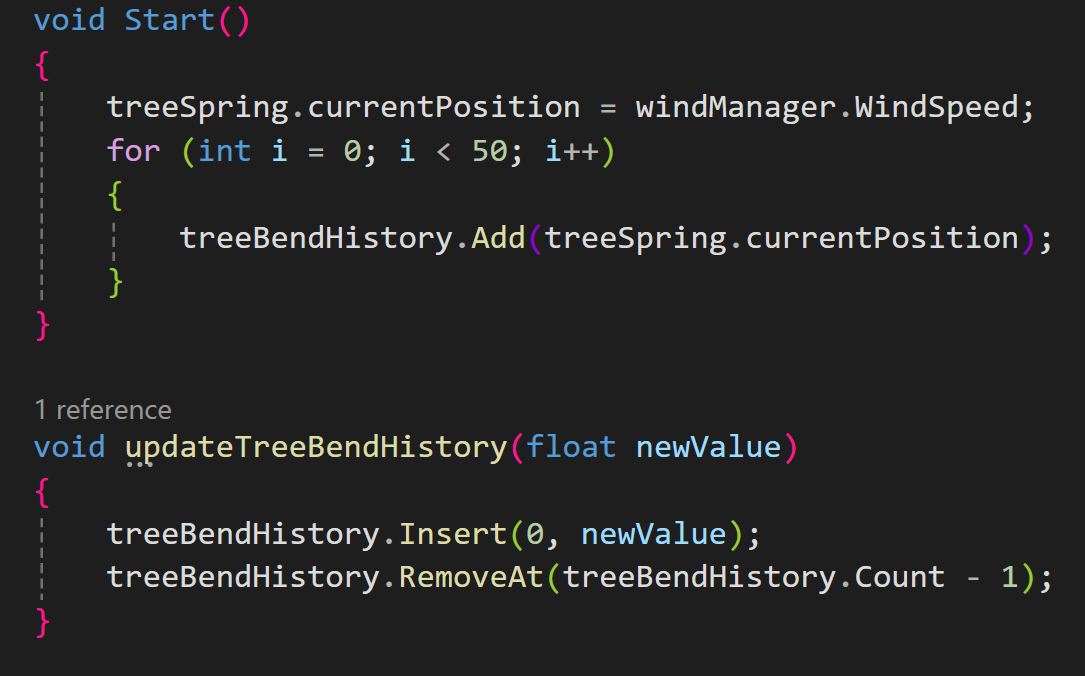
Above shows how I stored and updated the trunk verts’ positions. treeBendHistory is a list that stores 50 past frames and positions of that frame. In void Start, I first filled the 50 candidates with currentposition because there are no past frames. Then in updateTreeBendHistory, I inserted the new frame at 0(the newest frame), and delete the 50th frame(the oldest frame).
Now, how do we delay the foliage?
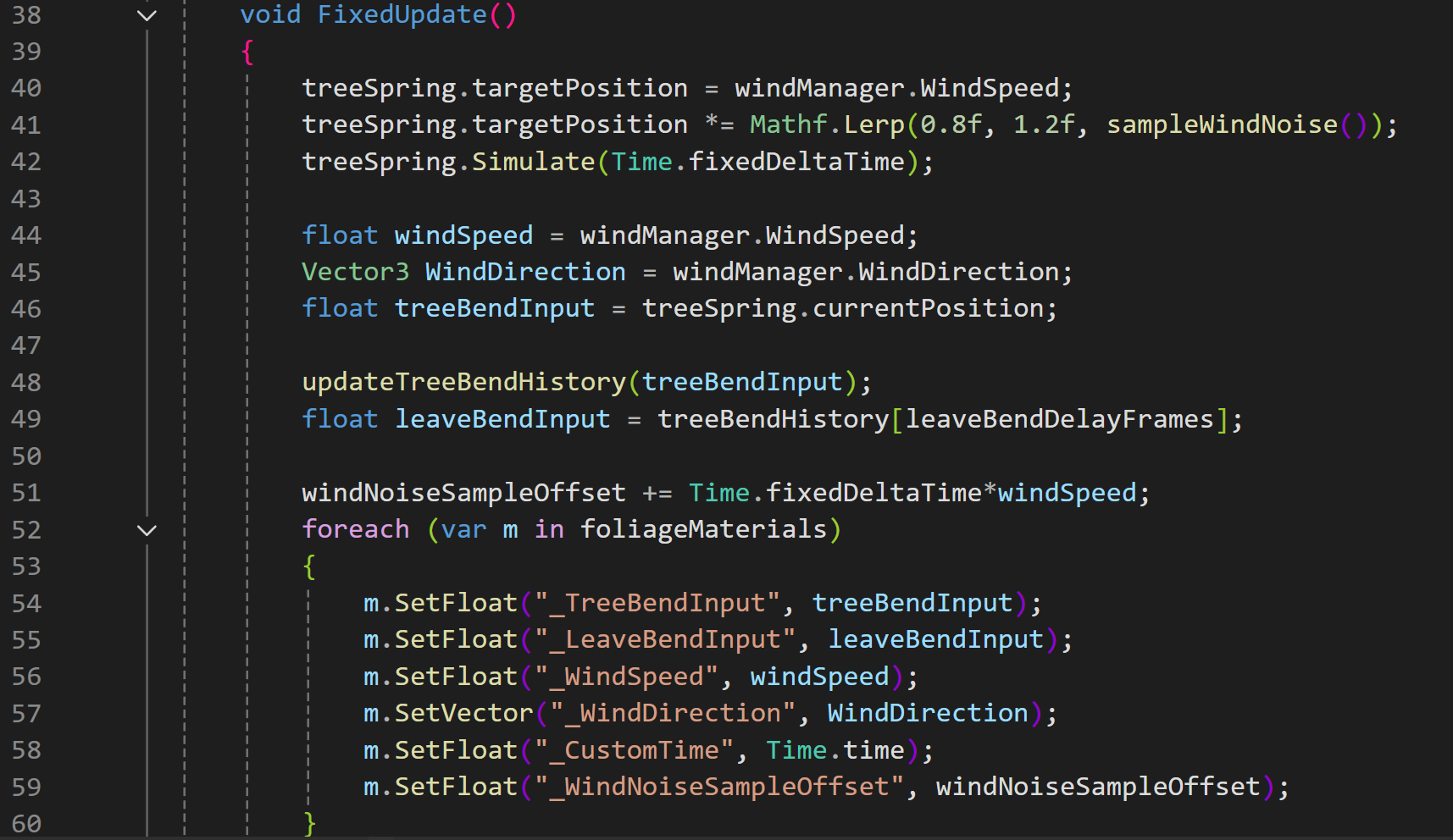
In line 48 and 49, we call the function updateTreeBendHistory from last image, but the imput here becomes treeBendInput. As I mentioned in part I, you can also see in this image,
treeBendInput = treeSpring.currentPosition, also we know from last image,
treeSpring.currentPosition = windManager.WindSpeed
That means we basically set the slider value in windmanager as the TreeBendInput (see image below), and we put this value into this update frame function so that the list of 50 frames always snatch target from our windspeed adjustment.
Next, with a leaveBendDelayFrames(see line 49). Now if I set this value as 10, the leaves will always move 10 frames delayed compared to the trunk. And we get leavebenInput which like I said in part II is the “drive” of the noise distortion(wind)
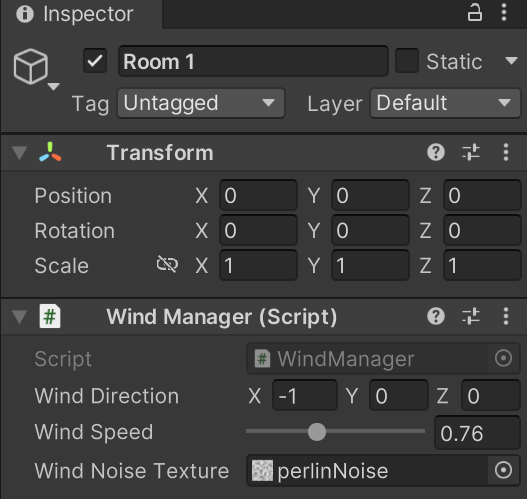
Now, we applied this major spring effect on the whole tree, but as long as we don’t change the wind speed, the trunk stays absolutely still, thus the follower—leaves has no movement either…
So what I did here is sampled the noise map again in C#, as below…

GetPixelBilinear to sample the map but also scrolling as windNoiseSampleOffset*0.1f. 0.1f is just because I want the noise map to scroll slower to prevent the tree from violently fluttering.

Then in Update line 41, the targetposition is multiplied by a linear interpolation result. It makes the noise (a value from 0-1) remapped into 0.8 - 1.2, meaning sometimes the wind is milder than original, sometimes stronger based on the noise map, creating a randomness.
Let me summarize a little, treeBendInput(trunk) is the current position who will always try to get to target position which equals the wind speed slider value, except sometimes it’s larger and other times smaller due to line 41. And leaveBendInput equals treeBenInput but a few frames delayed depend on the delay frame we enter in the inspector.
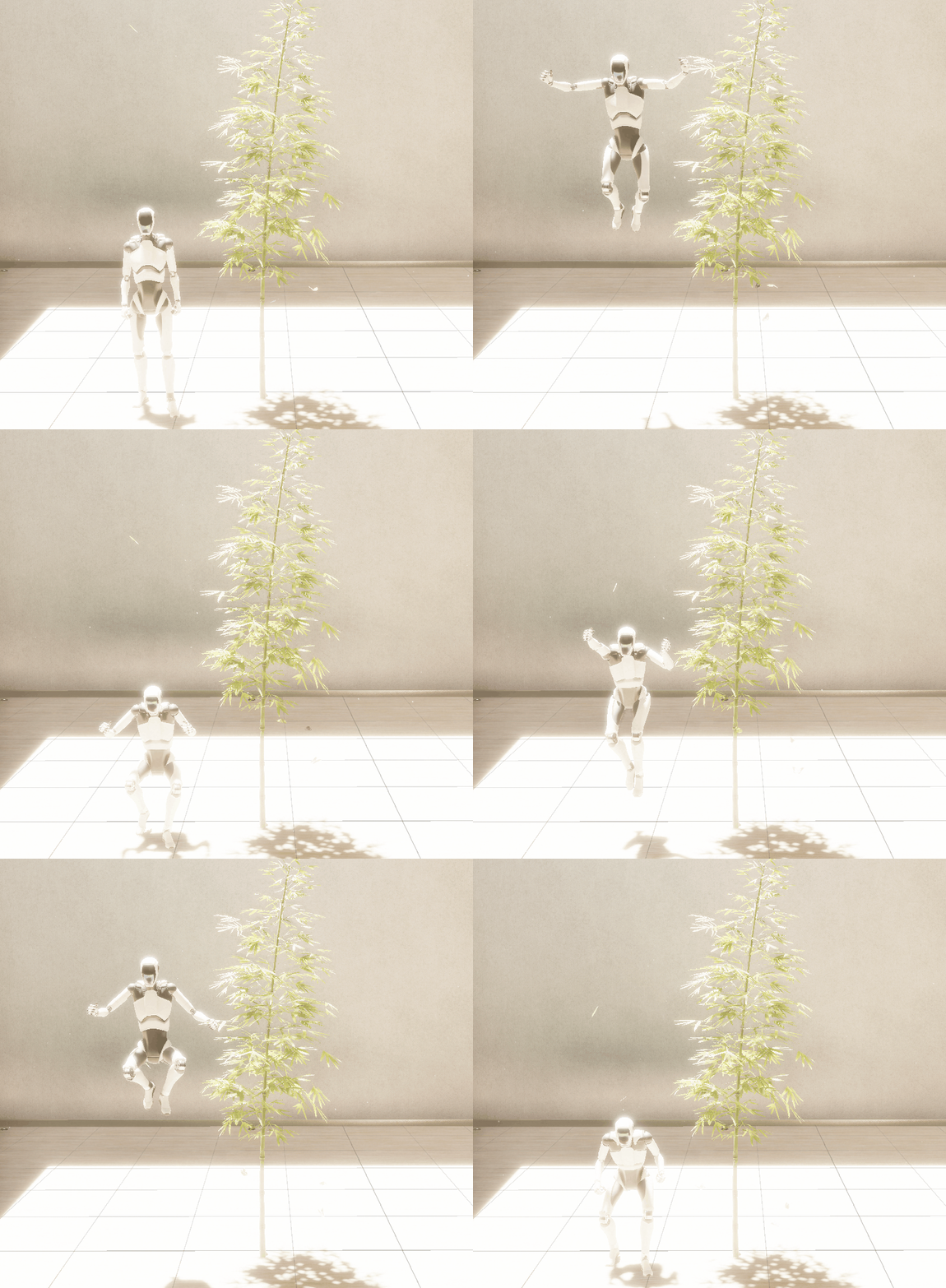
And yes we did it! (Jumping)